Beginner Guide to Selling on eBay
Understand eBay's fees, search algorithm, and buyer expectations before listing anything.
eBay's been around since 1995, but the platform beginners picture (grainy auction photos, sniping bids in the last ten seconds) isn't really how it works anymore. Selling well in 2026 means understanding three things: eBay's fee structure, its search algorithm, and what over 130 million active buyers actually expect when they click on a listing. None of that is complicated. It just has to happen in the right order, which is the whole point of this guide.
Creating your eBay seller account and linking payment before you list anything
Already have an eBay account from buying stuff? Good news: that same account sells. No second account, no separate signup, nothing to untangle.
Starting from zero is just as easy. Go to ebay.com, click "Register," punch in an email, a name, and a password. That's the entire signup. Pick a personal account, not a business one, even if part of you is already dreaming about turning this into a side hustle with its own tax ID. Personal accounts get 250 free listings a month, which is more than enough for anyone clearing out a closet, a garage, or a dead relative's stamp collection. Upgrading to a business account later takes about five minutes when the volume actually justifies it.
Before any of that listing happens, though, eBay wants payment info. Since 2021 and 2022, eBay runs payments itself through a system called Managed Payments. PayPal used to be the default; now it isn't. Link a bank account or a debit card, and that's where eBay drops earnings after a sale clears. The money doesn't vanish into some third-party black box either. It sits with eBay, gets processed, and gets paid out on eBay's schedule. Standard flow, not a red flag.
The mistake beginners make constantly: they build out a beautiful first listing, hit publish, and get stopped cold because payment info was never linked. Do it first. Save the frustration for something that actually deserves it, like packing tape that won't tear cleanly.
What eBay's fees cost you, and how to factor them in before you price
The first 250 listings each month cost nothing to post. After that, it's $0.35 per listing just to list it, whether it sells or not.
The bigger number is the final value fee, which runs around 13.25% on most categories (a few categories differ slightly), and that fee applies to the item price and whatever shipping charge gets added on top. Payment processing is bundled into that number through Managed Payments, so there's no separate processing fee sneaking in afterward.
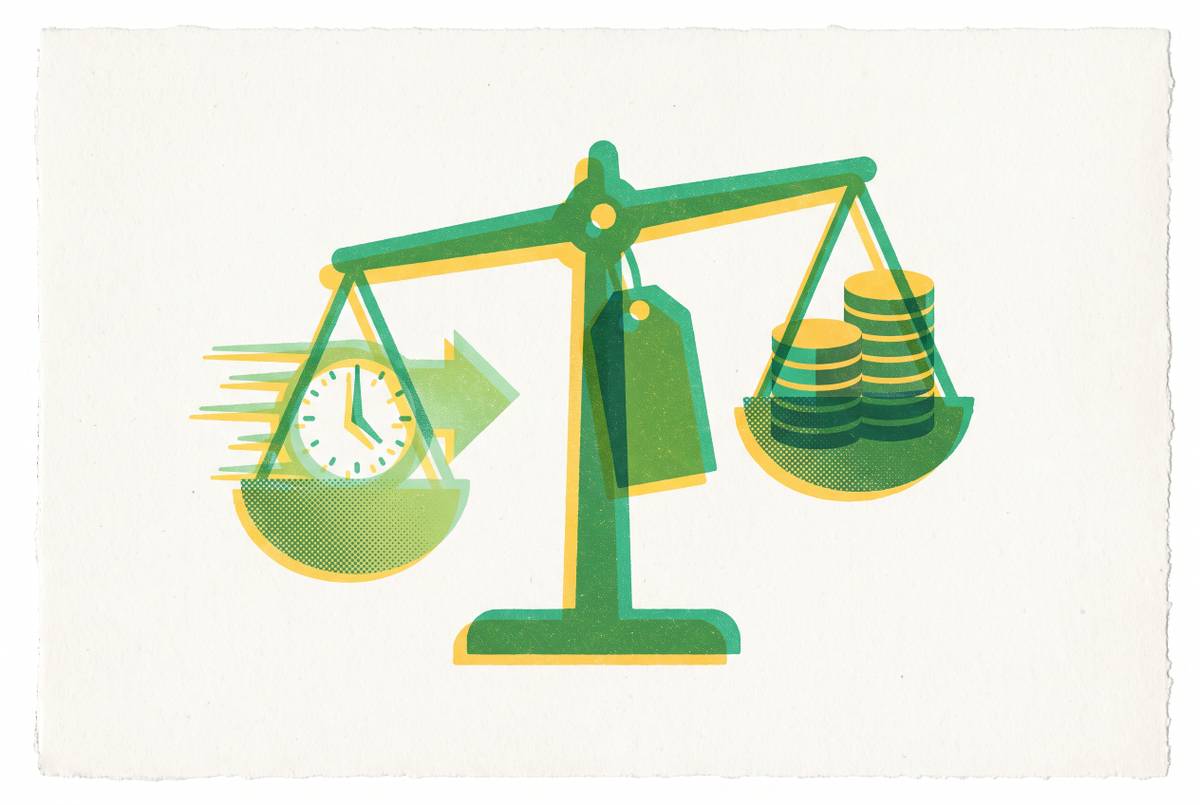
Expected sale price, minus eBay fees, minus shipping cost, minus packaging, minus what was paid for the item in the first place, equals actual profit. A lot of subtraction happens in that formula before "profit" appears at the end.
Take a $50 sale. That is not $50 landing in a bank account. Fees alone chip away at it meaningfully, and once shipping and packaging get added, the margin left over can catch a first-time seller completely off guard. A price that looked profitable on a napkin can quietly turn into a break-even sale, or worse, a loss dressed up as a sale. Fees need to be understood before a price gets set, not discovered afterward like a surprise dinner bill.
Promoted listings exist as a paid visibility boost, where eBay bumps a listing higher in search for an extra cost. Nobody starting out needs to touch this. Just don't be confused when the option pops up asking for money you didn't budget for.
How to find out what your item is worth using sold listings
Most beginners search their item, scroll through active listings, and pick something in the middle. That's the single most common way to end up with a listing that sits there, unsold, for months.
Anyone can list anything at any price. A listing showing a specific asking price for a used blender doesn't mean the blender is worth that amount. It means somebody hopes a buyer with more money than sense shows up. Active listings show hope. Sold listings show reality, and reality is the only number that should ever set a price.
On desktop, search the item, then look in the left sidebar for filters and click "Sold Items." The results flip to completed sales only, with the actual price each one sold for. On mobile, search the item, tap "Filter" in the top right, scroll down to "Show More," and toggle "Sold Items" on. That pulls sales from the last 90 days.
Filter by condition too. Comparing a used item against new sold listings skews the whole estimate, and matching Used to Used, New to New keeps the comparison honest.
Pull up the last 10 to 20 sold listings and ignore the outliers on both ends. What's left is a cluster, a range where most of the actual sales landed, and that cluster is the real market price. Best Offer sales display the original listed price, not what the buyer actually paid after negotiating. The number on screen can be higher than the real sale price, so treat it as a ceiling, not gospel.
Need data older than 90 days? Terapeak Product Research, built into eBay's Seller Hub, goes back up to three years and includes actual Best Offer final prices, not just list prices.
Pricing after that comes down to patience. Price near the top of the sold range for someone willing to wait it out, the middle for a sale in roughly two weeks, or the bottom if the item needs to move fast. Turning on Best Offer and accepting offers somewhat below the listed price is a reasonable middle ground.
Prices also drift. A phone model's resale value can shift sharply when newer hardware arrives, and toy prices swing around movie release dates and holidays. Check sold data close to when the listing goes live, not once, months ago, and never again.
Sell-through rate matters too. If a search turns up dozens of active listings but almost nothing sold in the last 90 days, that market's flooded. Either pick a different item or price low enough to jump the line.
This tedious research is why pricing tools that pull sold data automatically and hand back a recommended number, straight from a photo, save real time for anyone doing this more than once.
Writing a listing title, description, and choosing photos that convert
eBay gives 80 characters for a title. Use every single one. eBay's search algorithm, called Cassini, weighs words that appear earlier in the title more heavily than words buried at the end.
The order Cassini rewards: product type first, brand second, key features third (think size, color, material), condition last. And front-loading whatever matters most into the early part of the title gives it the best chance of being read. Skip filler words. "Amazing," "great," "look!" burn character space and carry zero search weight. Nobody's search query includes the word "amazing."
Photos matter almost as much as the title, and the first photo matters most of all. Buyers decide whether to click in under two seconds, which is roughly the same amount of time it takes to decide a text message deserves a reply. Shoot at the highest resolution your phone allows; larger images serve buyers better and support zoom on detail views. Use natural light, cover multiple angles, and show flaws honestly. A scratch photographed upfront builds more trust than a scratch discovered after the sale.
Descriptions don't carry much search weight since Cassini reads the title first, but they carry buyer confidence, which is what keeps returns down. Format for mobile since many buyers browse on a phone: short paragraphs, bullet points, nothing that reads like a wall of text. A quick summary of what the item is and its condition, then bullets with the key details, then any flaws disclosed.
On format: fixed price with Buy It Now dominates now. Most buyers want to check out immediately, not sit around waiting for an auction timer to hit zero. Pairing Buy It Now with Best Offer enabled gives flexibility without sacrificing the instant-purchase option.
And here's where the tedium of writing listings from scratch disappears: the same photo that generates a price estimate can also generate a ready-to-post title and description, which removes the blank-page problem that stalls out most first-time sellers before they even finish one listing.
Sorting out shipping before a buyer pays, not after
Weigh the item and measure it before it ever gets listed. Not after someone pays. A heavy item with an unexamined shipping cost can wipe out a profit margin entirely, and there's no worse feeling than realizing the shipping label costs more than the item sold for.
A cheap kitchen or postal scale solves this permanently. It's a ten-dollar tool that prevents a much more expensive mistake.
Free shipping tends to boost both search ranking and conversion, and most successful sellers just fold the postage cost into the item price rather than charging separately. The alternative is eBay's calculated shipping, where the buyer's zip code determines the exact cost, which beats guessing every time.
Always print labels through eBay directly. The discounted carrier rates baked into eBay's system run noticeably cheaper than walking up to a post office counter and paying retail.
For anything oddly shaped or fragile, pack it before listing, not after. The packed weight and dimensions are often different from the item alone, sometimes by a lot, and that difference changes the shipping cost that should've been built into the price from day one.
The classic beginner error: slapping "free shipping" on something large or heavy without checking postage cost first, then watching the sale turn into a loss the moment the label prints. And when a buyer messages with a shipping question, that's someone standing at the register with their wallet out. Answer within two to four hours during waking hours. Past 24 hours, they've probably already bought it somewhere else.
Which categories sell reliably on eBay
Electronics is the biggest category on eBay by listing volume, and refurbished smartphones and laptops move well because retail prices are steep and product cycles are short. Used devices fill a real gap for buyers priced out of new. Test the charging, speakers, camera, Wi-Fi, every button, every port, the display, and the battery before listing. The gap between new and used device prices makes used electronics an attractive option for buyers watching their budgets, which is a genuinely good environment for anyone offloading an old phone or laptop.
Toys and collectibles hold up consistently, trading cards and LEGO especially. Major film releases coming in 2026, including Moana (Live Action), Spider-Man: Brand New Day, and Toy Story 5, tend to coincide with spikes in demand for related toys. Stocking related items ahead of release dates, and ahead of Christmas, catches that demand at its peak instead of after it's passed.
Clothing and footwear move steadily too. Sneakers from Nike, Hoka, and On Cloud, along with athleisure and denim from a past-era fashion cycle sold by brands like Lululemon, combine solid resale margins with buyers shopping daily. Cross-listing clothing to Poshmark or Depop alongside eBay puts items in front of audiences those platforms are known for attracting.
Home goods and kitchen items are underrated. Bread makers and air fryers used once and shoved in a cabinet, matching dish sets, unused gadgets still in the box. Replacement cost on this stuff is high and used condition barely matters to a buyer who just wants a working air fryer for less than retail. These sell steadily on both eBay and Facebook Marketplace.
Replacement parts deserve more attention than most beginners give them. Demand is split across thousands of device-specific parts, and a buyer searching for one exact part tends to buy fast once they find it. This is a category worth watching closely for anyone building a repeatable sourcing habit.
Furniture is the exception. Certain furniture styles sell well locally, but shipping cost kills the math for anything large. That's a Facebook Marketplace item, built for local pickup, not an eBay item.
For a first listing, don't go sourcing anything. Look around at what's already sitting in a closet or a drawer: electronics, kitchenware, shoes. The best first item is one that costs nothing to acquire because it's already owned.
When eBay is the right platform versus Facebook Marketplace
eBay's advantage is reach. Over 130 million active buyers worldwide, a structured checkout process, seller protections, and Managed Payments handling the money. Anything shippable, with a buyer pool that stretches across the country or the globe, belongs there.
Facebook Marketplace, launched in 2016, is built into Facebook's existing social network and leans heavily toward local, in-person transactions. It's the better fit for anything bulky or heavy, where shipping cost would eat the entire sale.
Fees make the case sharply. Facebook Marketplace has no listing fee for local, in-person transactions, while eBay's final value fee runs around 13.25% on most categories. For a low-value or heavy item, that gap can mean a decent profit or barely breaking even.
The decision rule is simple. Small, shippable, with a specific buyer somewhere in the country (a particular phone model, a LEGO set, a rare trading card) means eBay. Large, heavy, or hyper-local (a couch, a dresser, a treadmill nobody wants to ship) means Facebook Marketplace.
Cross-listing both at once is the real unlock. The same photos, posted to eBay and Facebook Marketplace simultaneously, reach both buyer pools without doing the work twice, and tools that generate one listing and push it to both platforms cut out the tedium of rebuilding the same post app by app. Snap one photo, get one AI-written listing, post it everywhere at once, that's become the standard move for anyone selling casually who'd rather not retype the same description four times. For clothing specifically, Poshmark and Depop are worth adding into that same mix, since Poshmark focuses on fashion and Depop skews toward younger buyers.
The right platform is a function of what the item is, how much it weighs, and who's actually looking to buy it. It's a function of what the item is, how much it weighs, and who's actually looking to buy it. Once that logic clicks, the choice becomes obvious. It just becomes obvious.